NoveLand

Bring your novels and characters to ChatGPT / Claude

What comes next
in this story?

Connect the NoveLand plugin
and write your novel with AI!

Opens the NoveLand page in each AI's directory.

Using Claude Code, Codex, oranother MCP-compatible tool? Start here
Claude

I want to continue the novel
I'm writing on NoveLand

Looked up your NoveLand novels

That would be your most recently
updated novel, “The Blank Rememberer.”
Let me check the list of episodes.

Read the text

You've written up to episode 1,
and you've planted a few hints already.

  • Bring in the threat of the “Sorters”
    to raise the tension
  • Show daily life with Mina
    to build their relationship
  • Reveal a small clue about
    the mystery of the “Unregistered”
Watch the real recording
Examples in ChatGPTGo to the connection guide

01 · Dialogue

Dialogue that sounds
like your character

Work on wording based on character profiles.

You

@NoveLand
The farewell scene in “Kingdom of Ash and Gold.” Rewrite “I want to see you again” as something taciturn Borg would say.

ChatGPT
Sample reply

To make use of his profile, “hides his loneliness,” how about this?

“…When are you coming back?”

Instead of asking them to stay, the line asks for a promise to meet again.

02 · Worldbuilding

Check for
inconsistencies

Compare your worldbuilding with the body text.

You

Does the magic in episode 7 contradict my worldbuilding?

ChatGPT
Sample reply

Your settings say “magic requires a catalyst,” but in the text the spell is cast without one.

If that isn't an intended exception, adding “she touched the stone at her chest” before the spell ties it back to your settings.

03 · Foreshadowing

Plan the next scene
from your foreshadowing

Build on earlier episodes to plan what comes next.

You

Give me two ideas for episode 8 that use the “silver key” from episode 3.

ChatGPT
Sample reply

If you use the royal crest engraved on the key as a clue, how about these?

① Closing in on a secret
They open the sealed archive and find records the royal family hid.

② Doubting an ally
They find the same crest among an ally's belongings and start to question who they really are.

When you want to keep writing

Time spent stuck
becomes time moving forward.

What would this character do?

Plan their next move based on their background.

What could happen in this world?

Plan developments using the worldbuilding you've saved.

Another way to write this scene?

Find alternative wording from the text you've written.

The text and worldbuilding saved in NoveLand become the starting point for each conversation.

How it looks in ChatGPT and Claude

Bring your workinto the conversation.

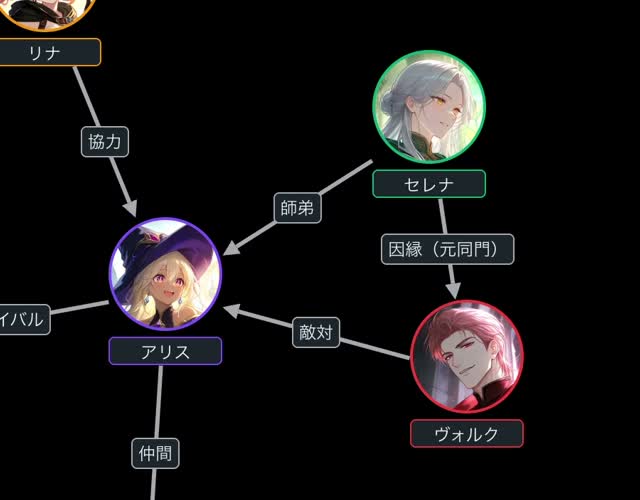
ChatGPT: relationship diagram

About 17 seconds
Zoom in on the relationship diagramThe relationship diagram from the ChatGPT recording, showing lines and descriptions that connect several characters.

Claude: what happens next

10 seconds

Recorded on a computer. You can also play it full screen.

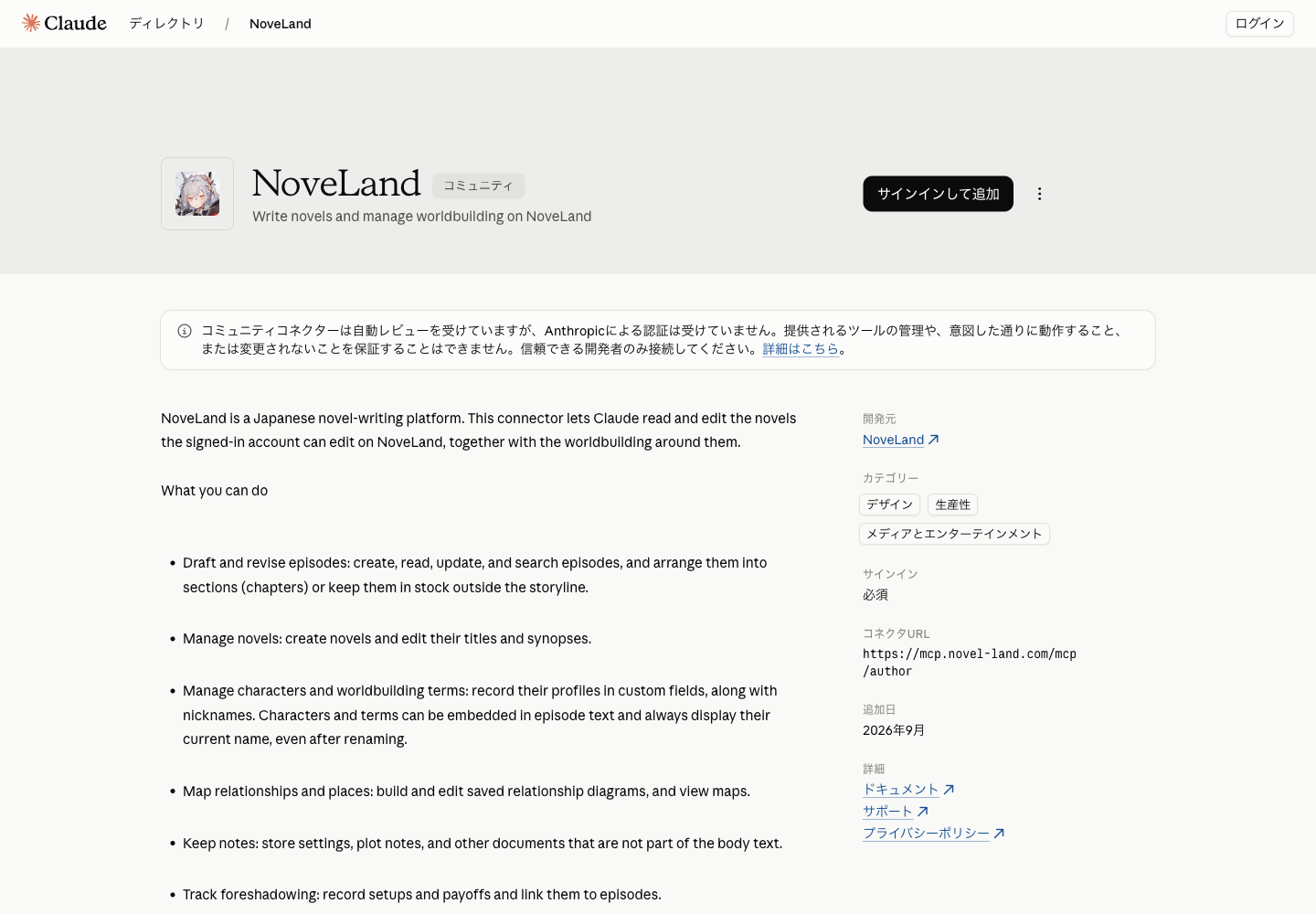
Choose the AI to connect

See how to add NoveLand, log in, and optionally allow rewriting.

Using Claude Code, Codex, or
another MCP-compatible tool? Start here

Connect to ChatGPT

Change service

Here's how connecting works. You add NoveLand and log in on the AI's own screens.

01

Add NoveLand

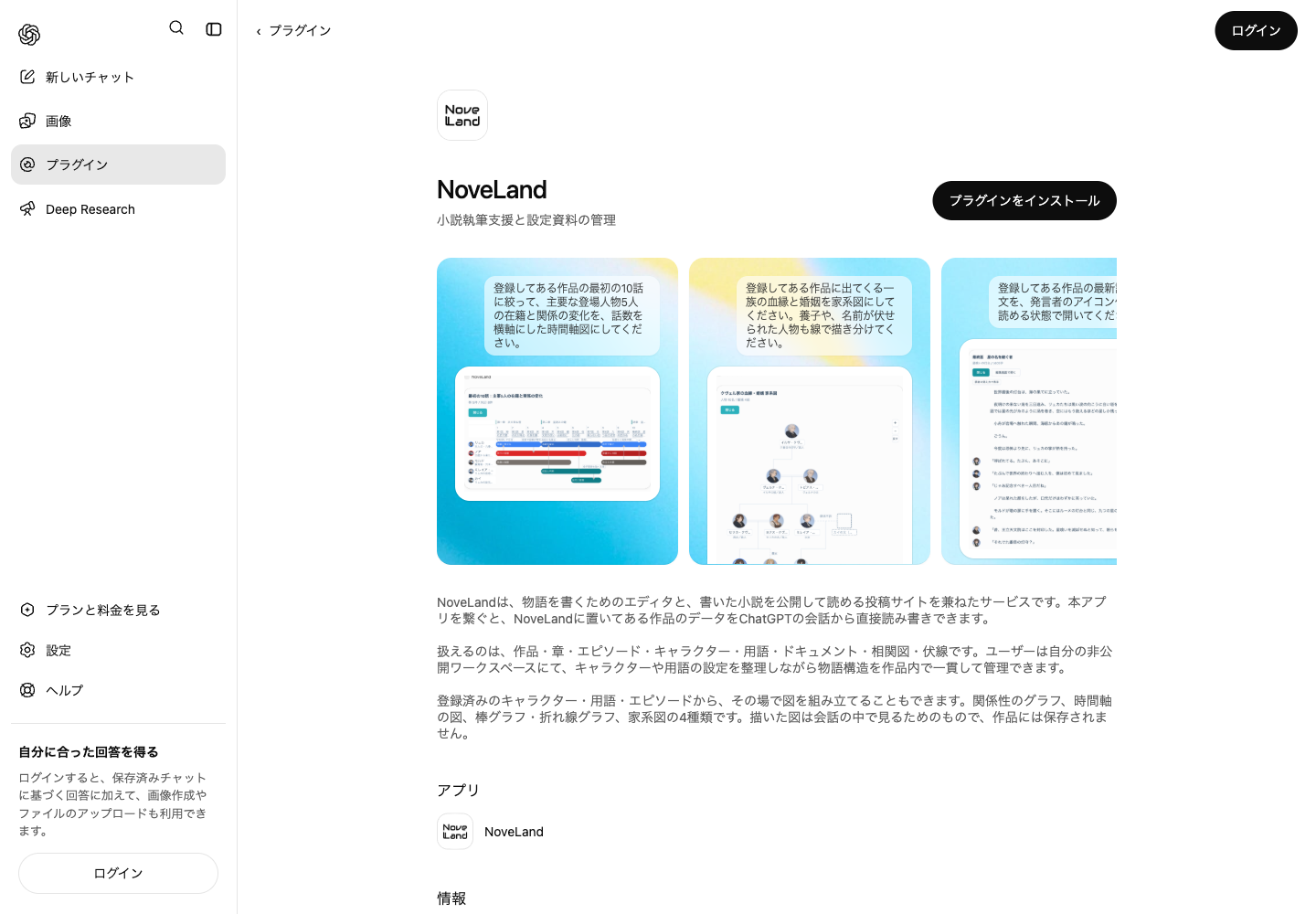
On NoveLand's page in ChatGPT, choose to install the plugin.

Open NoveLand's page in ChatGPT

From here, follow ChatGPT's instructions to add and authorize NoveLand.

Example of the destination screenThis is an image and can't be clicked

Actual screen of NoveLand's page in ChatGPT, where you install the plugin.

Close-up of the add button in the screen aboveYou can't click inside the image

Close-up of the button area in the page above: install the plugin
Example of the listing page · What you see depends on whether you're logged in and other factors.
03 · Optional

Allow rewriting the body text

In the novel's settings, open the AI-feature level settings and choose “Up to writing body text.”

No change is needed for “Up to consultation” or “Up to managing materials.” Set it only for the novels you want to allow rewriting.

The AI-feature level settings in a novel's settings, with the option “Up to writing body text.”
The actual screen after setting it (you can't click inside the image)

Once you're connected

After you connect:
usage and FAQ

How can I let the AI rewrite my text?

To let the AI write or rewrite the text, open the novel's settings, go to the AI-feature level settings, and choose “Up to writing body text.” With “Up to managing materials,” the text can't be rewritten.

Actual screen with “Up to writing body text” selected in the novel's AI-feature level settings
Novel settings → AI-feature level settings → Up to writing body text
This is an image of the actual screen. You can't interact with it.
I can't connect, or my novel isn't found

Check the account you logged in to NoveLand with, that NoveLand is selected and enabled on the AI side, and the novel's AI settings. Novels set to “No AI” can't be accessed. Each service's plans and usage limits also apply.

Does connecting cost anything?

Connecting NoveLand over MCP is free and doesn't use NoveLand's AI credits. Charges, terms, and usage limits on the ChatGPT or Claude side follow your plan with each service.

Can I choose what the AI can read and change?

Yes, in each novel's AI-feature level settings. Novels set to “No AI” can't be accessed. Changing the text requires “Up to writing body text.” When you connect, also review the access shown to you.

How do I disconnect?

You can disconnect NoveLand in ChatGPT's or Claude's settings. For where to find it, see each service's help article linked under “I can't connect, or my novel isn't found” above. Disconnecting and deleting past conversations are separate actions.

Can I undo changes to my text?

In NoveLand's text editor, you can check saved backups and restore one. Which points you can go back to depends on the backups saved. This doesn't undo every change at once, such as changes to character profiles.

For coding tools

For Claude Code, Codex, and other coding toolsOpen the MCP setup

MCP setup

To work with your novels from a coding tool, set up an MCP connection.

Claude Code

claude mcp add --transport http noveland https://mcp.novel-land.com/mcp/author

You can scroll the command sideways.

After running it, open /mcp, log in to NoveLand, and allow the connection.

Codex CLI

codex mcp add noveland --url https://mcp.novel-land.com/mcp/author

You can scroll the command sideways.

In the browser that opens after you run it, log in to NoveLand and allow the connection. The in-conversation screen examples are for ChatGPT and Claude; they don't appear in the CLI.

Other MCP clients

In clients that support remote MCP (Streamable HTTP) with OAuth, enter the following URL in the connection settings.

Example connection name
NoveLand
Transport
Streamable HTTP
Authentication
OAuth (log in to NoveLand in the browser)
https://mcp.novel-land.com/mcp/author

This is the server URL, not a command. Setting names and how to start authentication vary by client. After connecting, follow the browser's instructions to log in and allow the connection.

If you use a stdio client

To connect to a remote MCP server, see the official mcp-remote README .

Back to the connection guide

Write your next line
with the AI you already use.

The text you've written and the world you've built.
Connect NoveLand and plan what comes next.

Opens the NoveLand page in each AI's directory

Write and publish novels on NoveLand
NoveLandWrite and publish novels, all in one place.The OpenAI and ChatGPT names and logos belong to OpenAI. The Claude name and logo belong to Anthropic.